Transform Forklifts from Potential Liabilities into Smart, Safety-First Assets

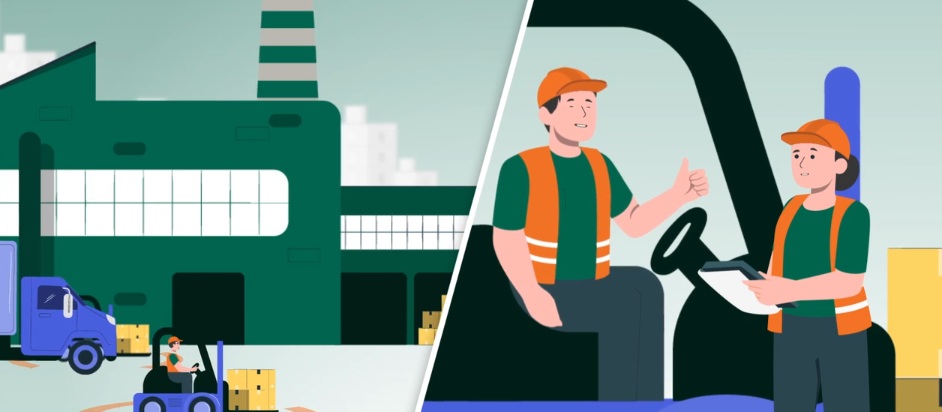
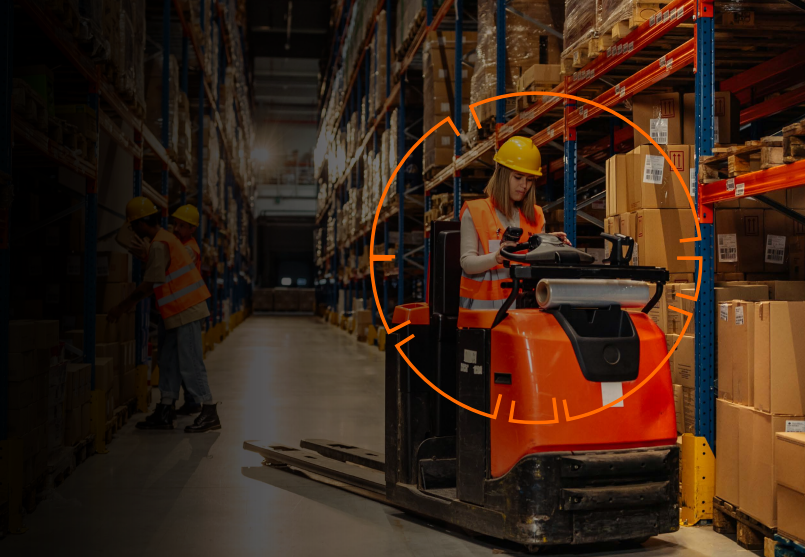
a forklift and a factory drawing

According to the Industrial Truck Association, the average injury-related incident costs $38,000 in direct expenses, with indirect losses reaching $150,000. It also reports that 70% of forklift accidents can be prevented with proper training and safety measures.

Powerfleet, a leader in IoT-enabled fleet management, tackles these challenges with advanced telematics solutions designed for forklifts. By using real-time monitoring, automated controls, and data-driven insights, Powerfleet significantly reduces accidents, ensures regulatory compliance, and promotes a culture of proactive safety.

At the heart of Powerfleet’s offerings is the Forklift Gateway (VAC), a wireless device that securely mounts on industrial vehicles like forklifts and tow tractors. This gateway serves as a central hub, gathering data from onboard sensors and optional add-ons such as GPS, impact detectors, speed monitors, load sensors, and pedestrian proximity alerts.

  • It enforces operator authentication via wireless access control to prevent unauthorized use.
  • Operators must complete digital safety checklists, documenting defects like brake issues or hydraulic leaks.
  • Non-compliant vehicles are automatically locked out of service, eliminating “pencil whipping” and ensuring immediate repairs.
  • The Speed Manager feature dynamically adjusts forklift velocity based on context.
  • Pedestrian proximity detection further bolsters safety by alerting operators to nearby workers via audible alarms or visual indicators.
  • And overload protection prevents tip-overs—the number-one killer of forklift operators

For added reassurance, an integrated seatbelt interlock guarantees the vehicle won’t start unless the seatbelt is fastened, ensuring complete compliance. Real-time event capture enhances Powerfleet’s safety approach. Combined with the Event-Triggered DVR system that records footage seconds before, during, and after incidents like impacts or sudden stops, anonymized clips become valuable tools for operator coaching.

Integrated into Powerfleet’s SaaS-based Unity platform, this data offers fleet managers a unified dashboard to monitor vehicle health, fuel efficiency, and safety metrics. Predictive analytics identify potential failures—such as worn tires or low battery levels—allowing proactive maintenance that prevents breakdowns and downtime.

Companies report over 50% reductions in damage to equipment, products, and facilities after implementation, leading to savings of tens of thousands of dollars for large fleets. Additionally, the improved OSHA compliance provides audit-ready documentation, protecting against citations for inadequate inspections.

And Powerfleet not only reduces accident rates but also enhances productivity, helping operators stay focused on tasks instead of manual logs—while maximizing equipment ROI.

As warehouses move toward automation, investing in telematics clearly delivers benefits: safer workplaces, lower costs, and empowered teams. For organizations focusing on human capital, Powerfleet is more than just technology—it is a commitment to zero incidents.

Battery Management: Good For Your Business and Your Bottom Line

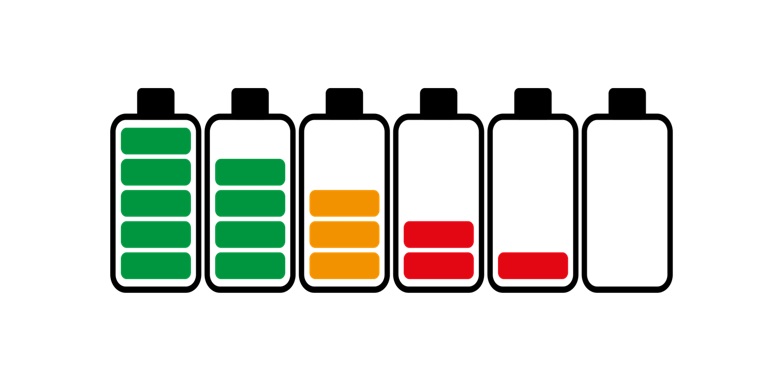
Device battery management has become a culturally ubiquitous phenomenon. Nearly everyone has devices, from mobile phones to smartwatches, tablets, and laptops, but not everyone knows how to manage their battery life effectively. That’s not your problem unless it’s your equipment. Mobile data collection, especially fieldwork, requires power that lasts throughout the day. Do you have a plan to maximize not just charging life, which is how long a battery lasts after each charge, but also battery life, the number of healthy charging cycles a battery can handle before needing replacement?

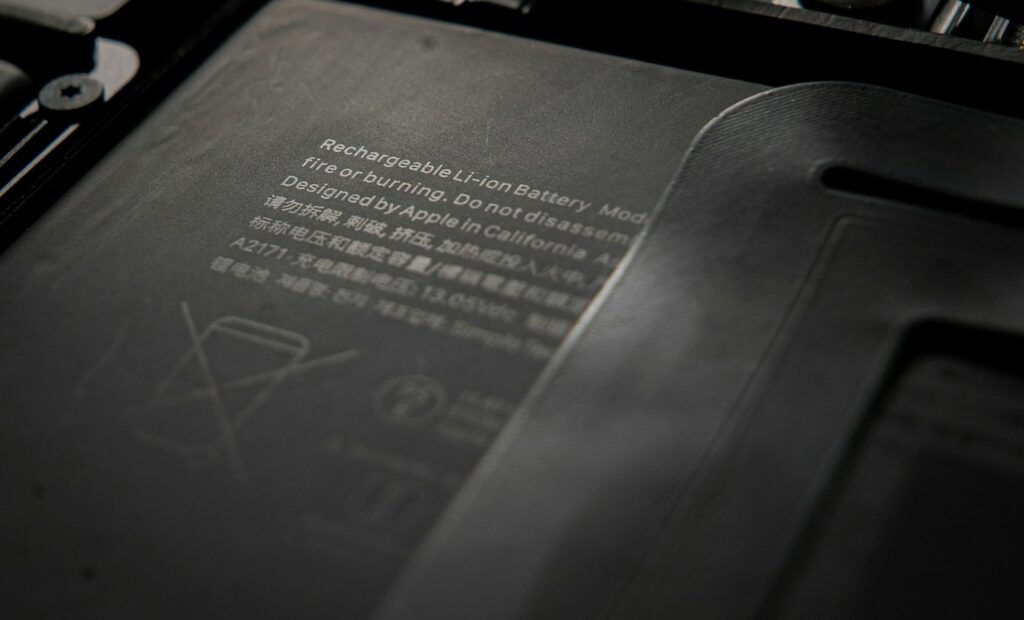
battery life

They are connected and inseparable, and if you invest in rugged technology, having it power down or “fail” due to power loss from tired batteries impacts the operation.

Smart Charging Habits can double battery lifespan by reducing cycle wear and preventing thermal damage. Limit charges to 80% to minimize cell stress. Avoid full discharges below 20% or overcharging. Use only manufacturer-approved chargers and charge at room temperature (avoid temperatures below 0°C/32°F or above 40°C/104°F). For storage, keep at 40-50% in a cool, dry place.

Regular Maintenance and Calibration can ensure accurate charge readings and identify issues early, maintaining 95%+ performance accuracy. Calibrate every 2-3 months by fully charging, then discharging to 0%, and finally recharging. Clean the battery contacts with alcohol wipes. Run diagnostic tools (e.g., Dell Power Manager or Windows Battery Report) to monitor the battery’s health. Update the firmware/OS for efficiency fixes.

You can also manage power settings to optimize long-shift runtime and minimize temperature extremes when possible. Leaving them in a vehicle in direct sunlight accelerates degradation; for optimal results, try to charge them at a stable or room temperature.

    • Battery health monitoring: Use built-in diagnostics to track charge cycles and proactively replace degrading batteries.
    • Efficient processors: Choose devices with low-power, high-performance CPUs (e.g., ARM or Intel vPro platforms).
    • Adaptive brightness: Automatically adjust screen brightness based on ambient light to reduce power draw.
    • CPU throttling: Enable performance profiles that scale processor speed depending on workload.
    • Peripheral control: Disable unused radios (Wi-Fi, Bluetooth, GPS) and ports when not in use.
    • Temperature-aware charging: Avoid charging in extreme hot or cold environments that degrade battery chemistry.
    • Smart charging accessories: Use ruggedized docking stations or vehicle chargers designed to regulate voltage
    • Sealed enclosures: Prevent dust, water, and vibration from damaging the battery or connectors.
    • Field-ready power sources: Carry portable, rugged power banks or solar chargers for remote operations

Contact one of our experts if you are interested in learning more about all the ways to help extend charge times and battery life. They won’t all be ideal for your operation, but at least a few of them will. It won’t cost you anything, and you could end up saving money by extending the life of your batteries and reducing lost time in the field or on the floor.


A.I. is Here, Is Your Hardware Ready?

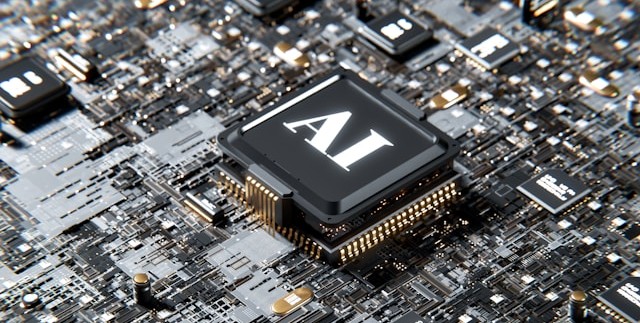
AI labled Processor on a mother board

Leveraging the promise of Artificial Intelligence (AI) will become a crucial part of maintaining a lean and competitive operation, and AI is here. Will your competition wait to see what you do? Probably not, so how do you get a step ahead?


AI Ready and More?
 Tabletslaptops, fixedmobilescannersprintershandhelds – contact us today!

What You Need

To run the language models that make AI work, you will need the hardware, software, connectivity, and power, and to take advantage of its potential.

AI-optimized rugged computers require powerful processors, including NPUs and GPUs, to efficiently allocate resources for running AI tasks, along with ample high-speed memory and storage.

Local processing power is more dependable than the cloud, but AI-optimized devices must have high-speed ports, USB 3.0, 5G, Wi-Fi 6 or 7, and software designed to harness and share AI’s advantages. And without the right batteries or accessories to keep your hardware powered, AI remains a deep well your increasingly mobile workforce can’t adequately tap.

Get Ahead or Stay Ahead 

Glacier Computer has a growing lineup of AI-capable rugged tablets and laptops built to carry you into the AI future, including the …


Glacier Computer has been on the cutting edge of rugged computing for twenty-five years, and the evolution to AI is no different. Our experts can help you assess your current situation and determine how to achieve your goals within your timeline and budget, regardless of your specific data collection and communication needs, including how to leverage AI.

Contact an Expert Today  

Enhance Fleet Performance with Intelligent Safety Solutions

forklift warehouse

Glacier Computer has partnered with Powerfleet, a global leader in Internet of Things (IoT) solutions for industrial, logistics, and transportation sectors, to provide equipment and software solutions to improve fleet management and driver safety. By leveraging cutting-edge hardware solution with technologies like AI, real-time telematics, and data analytics, Glacier and Powerfleet’s safety solutions offer proactive risk mitigation, regulatory compliance, and operational efficiency.

Powerfleet’s cutting-edge offerings and Glacier Computers’ comprehensive data collection solutions empower productivity and operations while maximizing safety and compliance.

  1. Driver behavior monitoring

At the core of Powerfleet’s vehicle safety framework is driver behavior monitoring, a system designed to detect and correct unsafe driving patterns. Through onboard diagnostics and advanced sensors, the platform monitors parameters such as speed, harsh braking, rapid acceleration, sharp cornering, and seat belt usage. This data is analyzed to generate driver safety scores and actionable insights that fleet managers can use to coach drivers and enforce safe driving standards. Over time, this feedback loop fosters a safety-first culture throughout fleet operations.

forklift and factory

  1. Video telematics

Another cornerstone of the framework is video telematics, which combines AI-powered dashcams with real-time analysis to detect distracted driving, fatigue, and violations such as cellphone use or failure to stop. These dashcams record road-facing and driver-facing footage, offering critical visibility into incidents. In the event of a collision or risky behavior, alerts are generated instantly, allowing for immediate intervention. This protects drivers, reduces liability, and facilitates training and incident reconstruction.

  1. Real-time alerts and predictive analytics

Another critical layer of Powerfleet’s safety approach is real-time alerts and predictive analytics. Powerfleet’s system can anticipate mechanical failures and identify high-risk routes by analyzing trends and aggregating data across vehicles and routes. These predictive capabilities enable maintenance teams to address potential issues before they become safety hazards. Additionally, route-specific safety recommendations assist drivers in avoiding accident-prone areas or adjusting their driving behavior based on road conditions.

powerfleet features clip

  1. Regulatory compliance

Powerfleet also ensures regulatory compliance with transportation safety laws, including hours-of-service (HOS) and electronic logging device (ELD) mandates. Their solutions automate the logging of driving hours and vehicle inspections, helping organizations avoid penalties and maintain fleet certifications. Integrating with federal safety standards ensures fleets operate within legal frameworks while reducing the administrative burden.

  1. Data and Reporting

An often-overlooked aspect of Powerfleet’s framework is its data-driven fleet coaching and customized reporting tools. By translating vast amounts of data into intuitive dashboards and tailored reports, fleet managers gain a holistic view of safety performance. These tools facilitate benchmarking safety metrics, goal-setting, and timely tracking of improvements. Whether addressing individual driver behavior or company-wide trends, the insights support continuous safety enhancements.

Conclusion

Glacier Computer is founded on one goal: What technology can we introduce that solves problems in your business, industry, or environment? From small businesses to international players, we deliver the solutions and support you need to do the job, from rugged tablets and handhelds to fixed-mount systems, laptops, mobile printers, and scanners. Partnering with Powerfleet’s vehicle safety framework adds a multi-layered, technology-driven solution that empowers our customers to build safer, smarter, and more efficient fleets.

Together, we offer the industry’s best rugged computing products and accessories, coupled with time-tested integrated software, safety, and compliance solutions delivered by an experienced technical counselor.

Contact an Expert

FORKLIFT SAFETY

Every business is different, but we all share one thing in common: Ensuring worker safety and complying with the Federal Occupational Safety and Health Administration (OSHA).

Safety checklists, procedures, and emergency plans are a necessity and a requirement, and just like the warehouse they keep safe, accuracy and productivity matter. Time saved by ensuring a safe workspace is a resource that can be redirected to more productive pursuits, and for almost 25 years, Glacier Computer has been an expert at helping manufacturing and distribution operations deploy game-changing technology configured to best suit their needs.

Now, with the added solutions from Powerfleet, we are more than ready to help you transition smoothly from paper-based systems to advanced digital platforms, empowering your team to focus more on proactive safety measures and less on paperwork.


The problems we solve
• Unplanned downtime and other events that slow operations
• Damage to inventory, equipment, and racking from a lack of accountability
• Accidents threatening your most valuable asset
• Blind, error-prone, compliance, maintenance, and utilization reporting


The benefits to you are:
• Improve the safety environment
• Optimize utilization of your fleet
• Shrink operating costs
• Avoid legal action
• Increase vehicle longevity
• Protect your brand reputation
• Boost employee morale
• Adhere to compliance standards


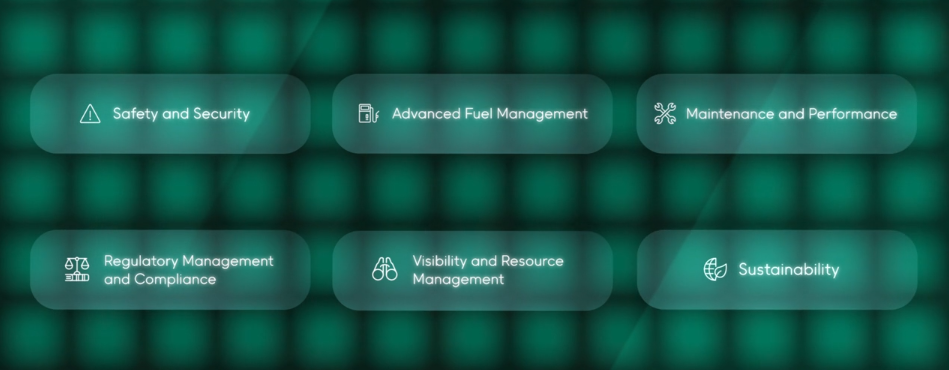
You can feel confident with regulatory management by intelligently streamlining compliance workflows in adherence to health and safety requirements. Prevent unqualified individuals from driving equipment. Regulate speed and other driver activities in adherence with facility criteria. Limit violations and, in turn, the potential for litigation.

Contact an expert at Glacier for more details.


Dear Glacier Customers …

If you are considering a technology refresh for outdated or inefficient devices, please consider Glacier Computer for your data collection and identification technology solutions.

For over 23 years, many have benefited from our consultive input on the very best rugged computing hardware solutions. Our traditional product offerings will continue to include forklift-mounted terminals, rugged tablets, wearable and barcode scanners, printers, and handheld computers.

Wait, There’s More.

To this, we have added select partners that enable us to offer specific market solutions for asset management, RFID, cold chain, Hazardous environments, mobile applications for SAP, video capture, Mobile Data Terminals, and purpose-built custom product development. These solutions will provide a measurable improvement in productivity and labor efficiency.


Why Glacier:

  • Over 23 years of experience and expertise in the automated data collection and mobility space
  • Manufacturer of our own 6th generation forklift terminals and reseller of major OEM rugged tablets
  • One stop for all your rugged computing hardware needs
  • Flexibility in display size, OS, WiFi, cellular, bar code scanning, RFID and other input
  • Guidance on various mounting options for vehicles in the logistics and transportation sectors, including – warehouse forklifts, pallet jacks, yard trucks, and other vehicle types
  • Work closely and are part of the total solutions provided by ISVs and systems integrators
  • Ability to provide evaluation units from our demo pool to test your applications and use cases


If you are looking to upgrade current technology or explore what new solutions are available for your business, then contact Glacier Computer at 866-724-6257 x6 or visit our website glaciercomputer.com.


The Problems With Powering Lift Mounted Tablets

Forklift mounted computers need power. That power comes from the lift’s DC battery. What you can connect and for how long can change from lift to lift. Computers running on electric lifts will have a different impact on the relationship from those mounted to a diesel powered lift.  And what are you asking that device to do once you’ve connected it?

Whatever you ask, when it comes to lifts, tablets present more challenges and require more equipment to power than a purpose-built lift mounted computer. Tablets require a docking station, power converters and filters, and all the additional mounts, cabling, and harnesses needed to keep those components from interfering with the moving parts on the lift.

Continue reading

Glacier Computer Featured on the “The New Warehouse Podcast”

Glacier Computer co-Founder and Strategic Accounts Manager, John Geary made an appearance on The New Warehouse Podcast. The program looks at warehouse logistics and every aspect of the inventory and distribution business.


In this episode, we learn about the different options for rugged computing in the warehouse and also what features should be considered when looking to purchase rugged computing products for your operation. With many options in the marketplace, it is important to make the right decision instead of one that will end up costing you more down the road.


Glacier’s nearly 20-year commitment to rugged data collection gives John the perspective needed to craft effective solutions at the intersection of two fast-moving and expanding environments; computing technology and logistics.


John discusses his history in the computing space and how we have gotten to the rugged portability that we see in our industry today. We also discuss the move in the industry from (the) Windows operating system to Android.


You can listen to the podcast here.

Email John.
603-882-1560 x3213

Glacier Computer Home

Find Glacier on Facebook – Twitter – LinkedIn


Is There a ‘Wolf’ Feeding On Your Warehouse?

wolf-stareYou’ve heard the story. Big wolf. Little pigs. Three houses. Guess what? They were Warehouses for bricks, lumber, and yes—straw. The big bad wolf? That was inefficiency eating away at the bottom line.

It was becoming a serious problem.

They’d each taken it on the chinny-chin-chin and were huffing and puffing about improving profits. A much-needed equipment upgrade to go with their Warehouse Management System could do the trick. But what sort of mobile wireless solutions would help them optimize their bottom line and kick the wolf to the curb?

As one of the leaders in the industry, Glacier Computer has spent nearly two decades helping customers build some of the best solutions on the planet. Our forklift mounted computers, rugged tablets, industrial tablet PCs scanners and software solutions are increasing efficiency across an array of industries.

Even after the initial installation, your investment in a Glacier industrial computer system will provide dependability and versatility for years to come; the average life of a Glacier Computer industrial tablet PC is over 5.5 years with manufacturing repairs of less than 4%.

And if we don’t have it, we’ll either create it or source it for you!

If you’ve got a Big Bad Wolf we’ve got his number. And now you’ve got ours. 603.882.1560. Or email us at Sales@glaciercomputer.com, and live happily ever after.

Find our more about Glacier – Request a Free Product DemoContact us

original

The KODIAK Forklift Computer Just Got Better

tablet-ctaThe only rugged industrial computer on the market that will run Windows 7.x, 8.x, 10.x, WES7, Linux, Android, or Windows CE out of the box just got better. The 10.4″ LED Display has been joined by a 12.1″ version.

The 12.1″ LED 500 NIT display has 1000:1 contrast ratio and 178/178 viewing angle.  And like it’s 10.4″ brother it includes multi-touch technology and allows for gloved operation. A 1000 NIT option is also planned.

The KODIAK is a truly rugged and versatile VMT designed to compete with tablet pricing.
Find our more about Glacier – Request a Free Product DemoContact us